MDX guide
A guide to all the components available in the Platform Portal.
Alert
<Alert /> renders a small section with an icon.
Some description
Attributes
descriptionorchildren:string or ReactNodeText content of the alert.
Informative❗
If icons parameter is not provided, default one will be rendered. See above demo for details.
Quicklinks
AccordionCard
<AccordionCard /> renders an accordion with content inside. You can nest other components inside it.
Some heading
Some content
Some description
Attributes
title:stringAccordion title.children:ReactNodeContent of the accordion.
BodyWrapper
<BodyWrapper /> renders a wrapper for the main content of a page. It is intended to be used as a container for content of pages with isGreyLayout flag.
Some heading
Some content
BulletList
<BulletList /> renders a bullet list. It can be used with children (list of bulletListItem) or with items prop.
- Item 1
- Item 2
- Item 3
Informative❗
bulletListshould have a list ofbulletListItemas children or propitemswith an array of items to render.bulletListItemshould have astringorReactNodechild.- Each item of the
itemsarray should have astringorReactNodetype.
Card
<Card /> renders a card which has heading, description and up to 2 CTA buttons. Additionally it can have icon or image.
Some Heading
Some description


Some Heading
Some description

Some Heading
Some description
Attributes
heading:stringCard heading.descriptionorchildren:string or ReactNodeCart description.icon:objectCard icon (optional). Object containing:name:stringLocal portal image name to display.altText:stringAlt text of image element.size:number or stringSize of icon (optional). Default: 40.
ctaPrimary:CtaProps objectCTA primary button (optional).ctaSecondary:CtaProps objectCTA secondary button (optional).image:objectCard image (optional). Object containing:src:stringLocal portal image name.srcDark:stringLocal portal image name for the dark mode to display (optional).alt:stringAlt text of image element.
CtaProps:
label:stringButton label.href:stringButton link.heading:stringButton ariaLabel details (optional).downloadFilename:stringThe name of file to be saved local (optional). This requires href to be a reference to a local file (PDF).
Informative❗
- Adding
downloadFilenameattribute to CTA button, will change button behavior from redirect to download file. - From security perspective is not possible to provide reference to external file to be downloaded, instead can be used as a link to redirect.
- To make card with download PDF file.
Q1 2022
Optional description
CardContainer
<CardContainer /> renders as a wrapper for a list of cards – 3 by default.
Some Heading
Some description
Some Heading
Some description
Some Heading
Some description
Attributes
columns:numberNumber of columns to display (optional). Default value 3.children:Array<ReactNode> or ReactNodeA component or list of cards to be wrapped.
Informative❗
Old itemCardCollection and nColumn components are deprecated. Please use cardContainer instead.
CodeSamples
The <CodeSamples /> component is intended to show multiple code samples in different languages. The primary use case is for code that is equivalent e.g. “This is how to make an API request in language A and language B”.
It can also be used for a single code sample to take advanTage of the convenient “Copy” button, although it is not as compact as using a <code> Tag or just using the triple backticks Markdown syntax. However, the <CodeSamples> component has the advanTage of truncating long code blocks and showing a ”+ Show More” button as required.
It is the component that is used for code samples throughout this document, but this example below shows it with two samples.
<CodeSamples
  heading="Here are some code samples"
  codeSampleHeading="Code Sample Heading"
  samples={[
    {
      lang: `Node + Request`,
      source:
`const request = require('request');
\n
const options = {
  method: 'POST',
  url: 'http://example.com',
  headers: {
    'content-type': 'application/json'
  },
  body: {
    name: 'bob'
  },
  json: true
};
\n
request(options, function (error, response, body) {
  if (error) throw new Error(error);
  console.log(body);
});`,
    },
    {
      lang: `Shell + Curl`,
      source:
`curl --request POST https://example.com
--data 'name=bob'`,
    }
  ]}
/>
Attributes
heading:stringA title that appears above the code samples (optional).codeSampleHeading:stringA title that appears inside the component (optional).samples:Array<object>An array of:sample object:objectsample object containing:lang:stringThe name of the language of the sample. This will be displayed in the select menu, top right of the componentsource:stringThe actual code sample. It is recommended to use Javascript template literal syntax to enable multiple lines in the sample.
N.B❗ Due to a bug in how MDX processes, Javascript template literals in MDX do not support empty lines. To include empty lines in your code sample you must use \n line break syntax.
Annoyingly, MDX can quite handle showing the code for the Code Samples component inside a Code Samples component - it’s all a bit too inception for it to handle! As a result, we are using standard Markdown syntax to display it below. Apologies for the lack of copy button and truncation.
ContentBlock
<ContentBlock /> renders a section of content with a title and optional icon.
It is intended for use where multiple blocks are used to describe features, amongst other uses.
Attributes
title:stringHeading for the block.titleAs:stringTitle as type (optional):- Available options: ‘h1’ | ‘h2’ | ‘h3’ | ‘h4’ | ‘h5’ | ‘h6’.
- Default: ‘h2’.
descriptionorchildren:string or ReactNodeThe main text content of the block.width:numberWidth of the block in pixels.icon:objectImage object containing (optional):name:stringIcon type (ex:circle-audience).altText:stringIcon alt text.
ContactCallout
<ContactCallout /> renders a component which has a title, description, cta and optional image.
Attributes
title:stringHeading for the block.description:stringThe main text content of the block.cta:objectObject containing:label:stringCTA button label.href:stringCTA button link (external link).
image:objectObject containing (optional):imageUrl:stringImage URL.altText:stringImage alt text.
Informative❗
- In pages with grey layout (flag
isGreyLayoutset to true), should be used outside theBodyWrappercomponent. - If image parameter is not provided, default one will be rendered. See above demo for details.
ContentStep
<ContentStep /> Render a numbered list with title, description and optional children.
Title 1
Title 2
Lorem ipsum dolor sit amet
Title 3
Attributes
items:arrayAn array of:title:stringTitle text (optional).description:stringDescription text (optional).
children:ReactNodeChild elements to render with step (optional).
Code
<code> renders a string as a code inline. Usually used to highlight a variable or a prop in a sentence or component.
This is some text and some code in code Tag
EndpointListItem
<EndpointListItem /> renders a non-interactive Tag with a link.
Attributes
method:stringThe type of endpoint:- Available options: ‘get’ | ‘post’ | ‘put’ | ‘delete’ | ‘patch’ | ‘options’ | ‘head’ | ‘trace’ | ‘connect’.
path:stringThe endpoint URL path.deprecated:booleanMark endpoint as deprecated (optional).
Faq
<Faq /> renders the FAQ items.
-
Is there a free trial available?
-
How can i use your API in my projects?
You have to sign-up before.
Attributes
items:Array<object>FAQ items list. An array of:title:stringItem title.content:string or ReactNodeItem content. Could be a string or a ReactNode. If you want to use links inside the content, you can use ReactNode syntax.
Hero
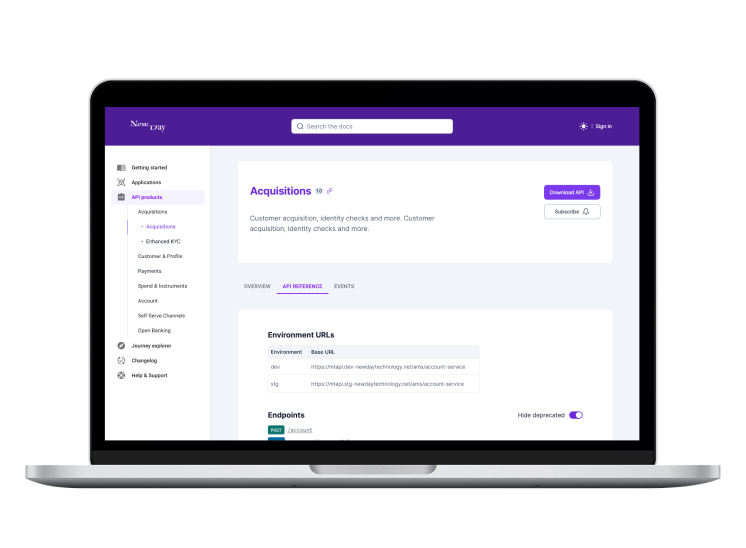
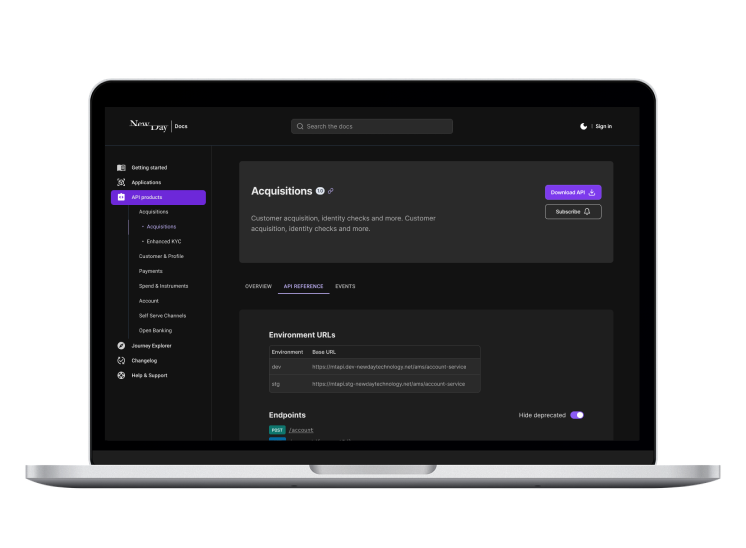
<Hero /> renders a big styled heading with optional copy, subheading, image and ‘call to action’ button.
Applications
Look upon my applications, ye Mighty and despair!
Attributes
headline:stringSets the text of the hero banner heading (optional).subHeading:stringSets the text of the hero banner subHeading.copy:ReactNodeDescription text of the hero (optional).cta:objectCTA button definition object (optional) containing:label:stringSets the text of the CTA button.href:stringSets the target URI of the CTA button when clicked.
image:objectImage definition object (optional) containing:name:stringImage filname / path in thesrx/imagesdirectory of the DevPortal Web repo.altText:stringAccessiblity text for the image.style:CSSObjectCSS object containing style properties (optional).
Tips❗
- ✅ Do this: Use only one hero per page. (Yes, we break that rule on this page, for illustrative purposes only!).
- ❌ Don’t do this: Use a hero anywhere other than the top of a page.
ModalImage
<ModalImage /> renders an image that opens a modal with a larger version in a modal window when clicked.
Attributes
src:stringImage URL. For using local images you need to import them first.modalParams:objectObject containing (optional):bgOverlay:string: RGBA colour value for overlay background.
NumberedBulletList
<NumberedBulletList><NumberedBulletListItem>...</NumberedBulletListItem></NumberedBulletList> renders a numbered bullet list.
- Item 1
- Item 2
- Item 3
Informative❗
numberedBulletListshould have a list ofnumberedBulletListItemas children.numberedBulletListItemshould have astringorReactNodechild.
RelatedLinks
<RelatedLinks /> renders a list of links related to the page content.
You may also like:
Attributes
links:Array<object>Object containing:type:stringLink type. Available options: ‘api’ | ‘journey’ | ‘application’ | ‘integration’.title:stringLink title.url:stringLink URL.
pre
<pre> renders string inside a box.
const someVar = ‘hello world’;
Table
To render a table use a standard Markdown table syntax (more about it in the Markdown guide):
| First Name | Last Name | Age |
|---|---|---|
| John | Doe | 40 |
| Afonso | Ramos | N/A |
| July | Dooley | 74 |
Alternatively, you can use the <table /> component. However, it is a component that requires the use of the appropriate child components to render correctly. The table component conforms with the HTML table element and should therefore be created as such.
The example above, for example, will render a table with a header row and three rows of data.
Tag
<Tag /> renders a non-interactive colour-marked Tag with a label.
Attributes
children:ReactNodeSets the text of the Tag component.variant:stringSets the background color (optional).- Available options: ‘get’ | ‘delete’ | ‘head’ | ‘options’ | ‘patch’ | ‘post’ | ‘put’ | ‘pub’ | ‘sub’.
- Default: ‘get’.
size:stringSets the size of the Tag (optional).- Available options: ‘base’ | ‘sm’.
- Default: ‘base’.
Tips❗
- ✅ Do this: Use to highlight things like request methods.
- ❌ Don’t do this: Use
<a />Tags or<button />Tags to try to make the Tag interactive. It is not designed for that, and doing so will break the consistency of the visual language and create confusion for users.